Why You Have 200 Apps and Use Maybe 12 of Them
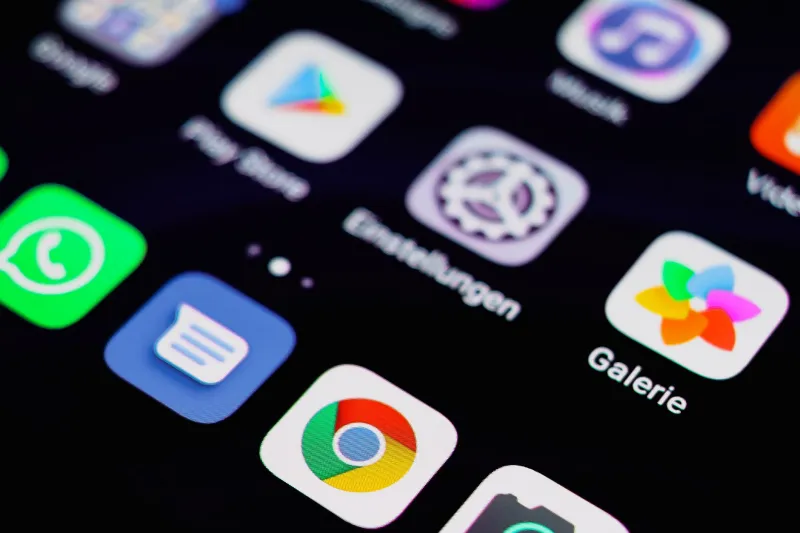
Open your phone's app library right now. Scroll through it slowly. How many of those icons do you actually recognize? How many did you download for a single trip, a one-time project, or a coupon that saved you $1.50 at a restaurant you've never gone back to?
If you're like most Americans, your phone has somewhere between 80 and 100 apps installed. Studies consistently show that people regularly use fewer than a dozen of them. The rest just sit there — little digital monuments to intentions that never quite materialized. That meditation app from your New Year's resolution. The budgeting tool you set up and abandoned in February. The game you played obsessively for four days in 2021.
This isn't just a quirky habit. It's a real phenomenon with real consequences, and the app ecosystem is specifically designed to make it worse.
Your Brain Is Working Against You Here
There's a concept in behavioral economics called the endowment effect — the idea that we assign more value to things simply because we own them. It shows up everywhere, from garage sales to stock portfolios, and it absolutely applies to apps.
Once you've downloaded something, it feels like yours. Deleting it feels like throwing something away, even if that thing has been sitting untouched for 14 months. Add to that the sunk cost fallacy — the nagging sense that you already spent time setting it up, so getting rid of it means that effort was wasted — and suddenly you've got a psychological cocktail that makes app hoarding feel completely rational.
App stores reinforce this too. Apple's App Store and Google Play both make re-downloading apps trivially easy, but they don't make that obvious. Most people still think of deletion as permanent. There's no "recently deleted" folder for apps the way there is for photos. The mental model is: once it's gone, it's gone. So we keep things we don't use, just in case.
The "Just in Case" Trap
Ask anyone why they're keeping an app they haven't touched in six months and you'll hear some version of "just in case I need it." It's the same reason people hold onto extension cords they've never used and instruction manuals for appliances they no longer own.
The problem is that "just in case" is almost never "actually."
The travel booking app you kept for your last vacation? You can re-download it in 30 seconds the next time you need it. The QR code scanner from 2020? Your phone's camera does that natively now. The food delivery app for that one city you visited? Gone.
Keeping apps "just in case" is really just procrastinating on a decision. And that procrastination has a cost.
What All That Clutter Actually Does to You
Let's talk performance first. Apps — even ones you never open — can run background processes, check for updates, and eat into your storage. On older devices especially, this adds up. You might be experiencing slower load times, faster battery drain, and reduced available storage without ever connecting the dots back to your app graveyard.
But the less obvious cost is cognitive. Every time you swipe through your home screen looking for something, your brain is processing all those icons. It's a small tax, but it's a recurring one. A cluttered phone creates a kind of low-grade mental noise — a constant reminder of things you meant to do, goals you set and didn't follow through on, tools you optimistically downloaded and quietly abandoned.
There's a reason productivity experts talk about digital minimalism in the same breath as physical decluttering. The principle is the same: your environment shapes your focus, and a chaotic app library is a chaotic environment.
A Practical Framework for Auditing What's Actually on Your Phone
Here's a straightforward way to cut through the noise. You don't need a fancy app for this (ironic as that would be). Just some honest questions and maybe 20 minutes.
Step 1: Run a usage report. Both iOS and Android let you see exactly how much time you spend in each app. On iPhone, go to Settings > Screen Time. On Android, it's Settings > Digital Wellbeing. Sort by least used. What you find there will probably surprise you.
Step 2: Apply the 30-day rule. If you haven't opened an app in 30 days and it doesn't serve a specific seasonal purpose (tax software, travel apps, holiday shopping tools), it goes. No negotiating.
Step 3: Distinguish between apps you use and apps you aspire to use. The fitness tracker you've never actually tracked anything in. The language learning app you open every January. The recipe organizer with zero recipes in it. These are aspiration apps — tools for the person you want to be, not the person you are right now. They're fine to keep if you're genuinely going to start using them this week. Otherwise, they're just guilt in app form.
Step 4: Check for redundancy. Do you have three different note-taking apps? Two weather apps? Four ways to listen to podcasts? Pick one in each category and delete the rest. Redundancy feels like optionality but it's really just friction.
Step 5: Audit subscriptions separately. Some of your unused apps are also quietly billing you. Cross-reference your app list with your bank statement or use your phone's built-in subscription manager to find anything you're paying for that you don't actually use. That's a different article, but it's worth doing at the same time.
The Re-Download Reality Check
Say it with us: you can re-download any free app in about 30 seconds. Paid apps you've already purchased are tied to your account — you won't be charged again. This one mental shift removes most of the psychological resistance to deletion.
The app store is not a one-way door. It's more like a library. You can return a book and check it out again later. Deleting an app isn't throwing it away; it's just putting it back on the shelf.
Once that clicks, the calculus changes completely. Keeping an app "just in case" stops feeling like prudent preparation and starts feeling like what it actually is: clutter.
What a Leaner App Stack Actually Looks Like
The goal isn't to live on three apps and call yourself enlightened. It's to have a phone that reflects how you actually live, not how you imagined you'd live when you were downloading things at 11pm on a Tuesday.
Most people find that after a real audit, they end up with somewhere between 30 and 50 apps — the tools they genuinely rely on, organized in a way that makes sense. The home screen has maybe two pages instead of six. Finding things takes two seconds instead of ten.
It sounds small. But spending less time hunting through your phone, feeling less nagged by half-finished goals, and actually knowing what's on your device? That adds up to something that feels a lot like clarity.
And honestly, that's worth more than whatever that 2019 barcode scanner was supposed to do for you.