Gone Without Warning: What Happens to Your Data When an App Shuts Down

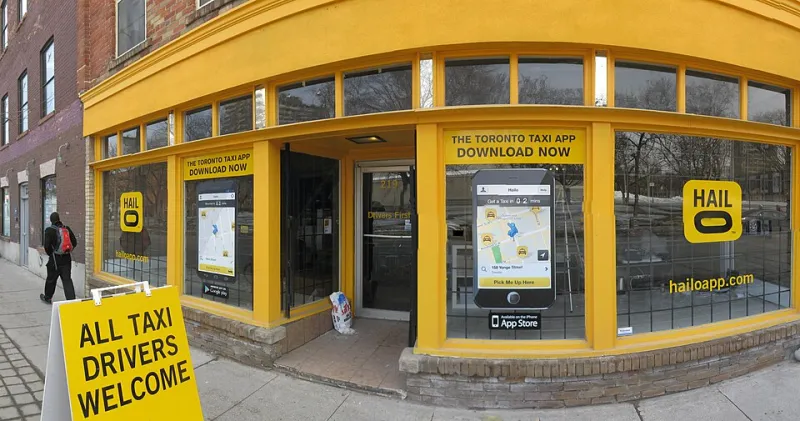
Photo: Freeman, Louis R., Public domain, via Wikimedia Commons
One morning you open an app you've used every single day for three years, and instead of your dashboard, you get a cheerful little notice: "Thank you for being part of our journey. We're sunsetting this product on [date]." Sometimes you get a few weeks. Sometimes you get a weekend. And sometimes — no joke — the servers just go dark.
This isn't a rare horror story. It's practically a rite of passage for anyone who leans hard on software tools. The app economy is brutal, and even beloved, well-reviewed products can vanish practically overnight. Understanding why this happens — and what you can do about it — is honestly just good digital hygiene at this point.
Why Apps Die in the First Place
There's no single cause of death in the app world. Sometimes a small indie developer runs out of runway and simply can't keep the lights on. Other times, a bigger company swoops in, acquires the product, and then quietly kills it because they only wanted the underlying technology or the user base — not the app itself.
Remember Wunderlist? Millions of people used it to manage their to-do lists. Microsoft acquired it in 2015, built Microsoft To Do as a replacement, and shut Wunderlist down in 2020. That's actually one of the nicer endings — users got years of notice and a clear migration path. Not everyone is that lucky.
Google Reader is another classic example. Google killed it in 2013 despite enormous user backlash, simply because it didn't fit the company's strategic priorities anymore. The lesson there? Even massive user love doesn't protect an app if the business case evaporates.
Then there's the "zombie app" scenario — where a developer stops updating the software but never officially shuts it down. The app just slowly rots. Security patches stop coming, compatibility breaks with new operating systems, and eventually the thing becomes more liability than asset.
Red Flags That Your Favorite App Might Be on Its Way Out
You don't always get a warning email. But if you know what to look for, there are usually signals worth paying attention to.
Updates slow to a crawl. If an app that used to push frequent updates suddenly goes quiet for months, that's worth noting. Check the app store listing and look at the "last updated" date. A long gap often means a skeleton crew — or no crew at all.
The developer goes silent. No blog posts, no social media activity, no responses to support tickets. When a company stops communicating with its user base, it's often because there's nothing good to say.
Acquisition rumors start circulating. Tech news sites like TechCrunch or The Verge often catch wind of acquisition talks before anything is official. If your favorite app's parent company is rumored to be on the market, start making a backup plan.
Pricing gets weird. Sudden price hikes, the removal of free tiers, or an aggressive push toward annual subscriptions can all be signs that a company is trying to squeeze revenue before a shutdown or sale.
The core team leaves. Founders departing, key engineers posting about their "next chapter" on LinkedIn — leadership exodus is one of the clearest signals that something is changing behind the scenes.
Real Talk: What You Actually Lose When an App Disappears
It depends heavily on the type of app. Losing a game is frustrating. Losing a note-taking app where you've stored five years of meeting notes, project briefs, and personal journals? That's genuinely damaging.
For business users, the stakes are even higher. Customer data, invoices, project histories, communication logs — if that information lives exclusively inside one platform and that platform disappears, you could be looking at serious operational disruption.
The tricky part is that most people don't think about data portability until they need it. And by then, it's often too late to export cleanly.
How to Migrate Your Data Before the Doors Close
The good news is that most apps — especially reputable ones — offer some form of data export. The key is knowing where to look and not waiting until the last minute.
Start with the settings menu. Look for options labeled "Export," "Download My Data," or "Backup." Apps like Notion, Evernote, and Todoist all have built-in export features that let you pull your content into common formats like CSV, PDF, or JSON.
Don't just export — actually open the file. A lot of people download their data and never check whether it's usable. Open a few exported files and make sure the formatting is intact and readable before you assume you're covered.
Identify a replacement before you need one. If you're seeing red flags around an app, start scouting alternatives now. Sites like Appic Directory exist precisely for this reason — you can compare tools by category, read real user reviews, and find something that fits your workflow before you're scrambling under pressure.
Use third-party sync tools as a safety net. Services like Zapier or Make (formerly Integromat) can automatically mirror your data from one app into another in real time. It's a bit of setup upfront, but having a live backup somewhere else means you're never fully dependent on a single platform.
Check for community-built migration tools. When popular apps shut down, their user communities often build unofficial migration scripts and guides. Reddit threads, GitHub repos, and niche forums can be goldmines for practical how-to help.
Building a More Resilient App Stack
The broader takeaway here isn't just about emergency prep — it's about being intentional with the tools you rely on. Before committing deeply to any new app, it's worth asking a few basic questions: Is this company financially stable? Do they offer data export? Is there an active development team behind this?
Open-source tools are worth a second look for this reason. Apps like Obsidian for note-taking or Bitwarden for password management are built on models that don't depend on a single company's survival. Even if the company behind them stumbled, the community could theoretically keep the software alive.
Nobody wants to think about their favorite app dying. But treating your software stack with the same intentionality you'd bring to any other important tool — backing things up, staying informed, and having a Plan B — means you'll never be caught completely off guard when that sunset notice finally lands in your inbox.